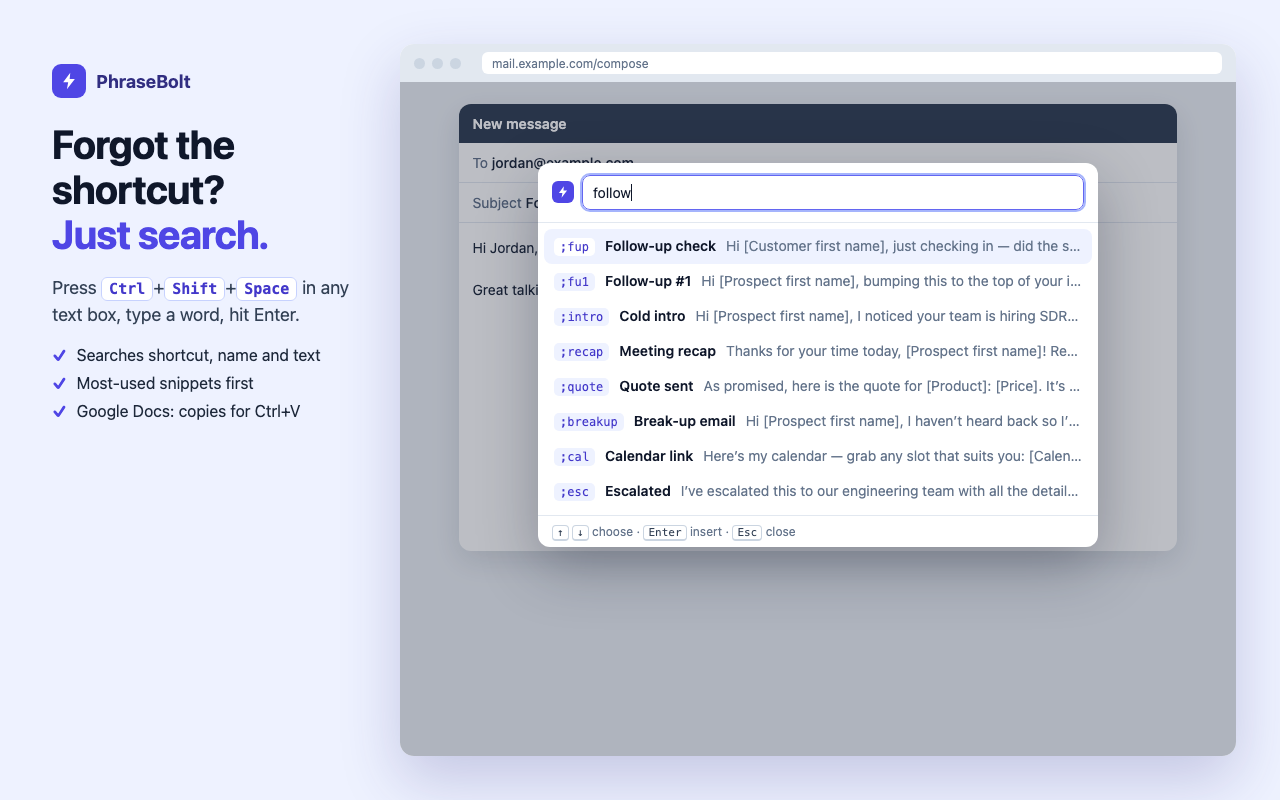
Type ;refund. Get the whole reply.

PhraseBolt is a text expander for Chrome that works in every text box — Gmail, LinkedIn, Zendesk, Slack, CRMs — without an account. Your snippets stay in your browser.

Add to Chrome — freeSee pricingNo account · 25 snippets free · 7-day Pro trial, no card
Typing ;refund in a help desk reply opens a PhraseBolt fill-in form with name, amount and a live preview

Everything a text expander should do — and nothing it shouldn’t

No account, local-first

No sign-up and no PhraseBolt server. Snippets live in your browser; optional sync uses Chrome’s own sync.

Works where you type

Plain inputs, text areas and rich editors: Gmail, Outlook on the web, LinkedIn, Slack, WhatsApp Web, Zendesk, Intercom, Freshdesk, HubSpot, Salesforce, frames.

Fill-in forms

{First name}, dropdowns, multi-line fields and optional parts — with a live preview before inserting.

Smart dates

{date:MMM D +3d}, business days +2bd, weeks, months, any format, English or Vietnamese names.

Search palette

Forgot the shortcut? Ctrl+Shift+Space in any text box, type a word, Enter.

One-click migration

Import from Magical, Text Blaze, TextExpander and Briskine — fill-ins and dates are converted.

Nested snippets

Reuse your signature in every reply with {snippet:;sig}.

Team packs, no server

Share a folder as a link or file. Teammates click “Add to PhraseBolt”.

Time saved

See how many characters you didn’t type and the minutes you got back.
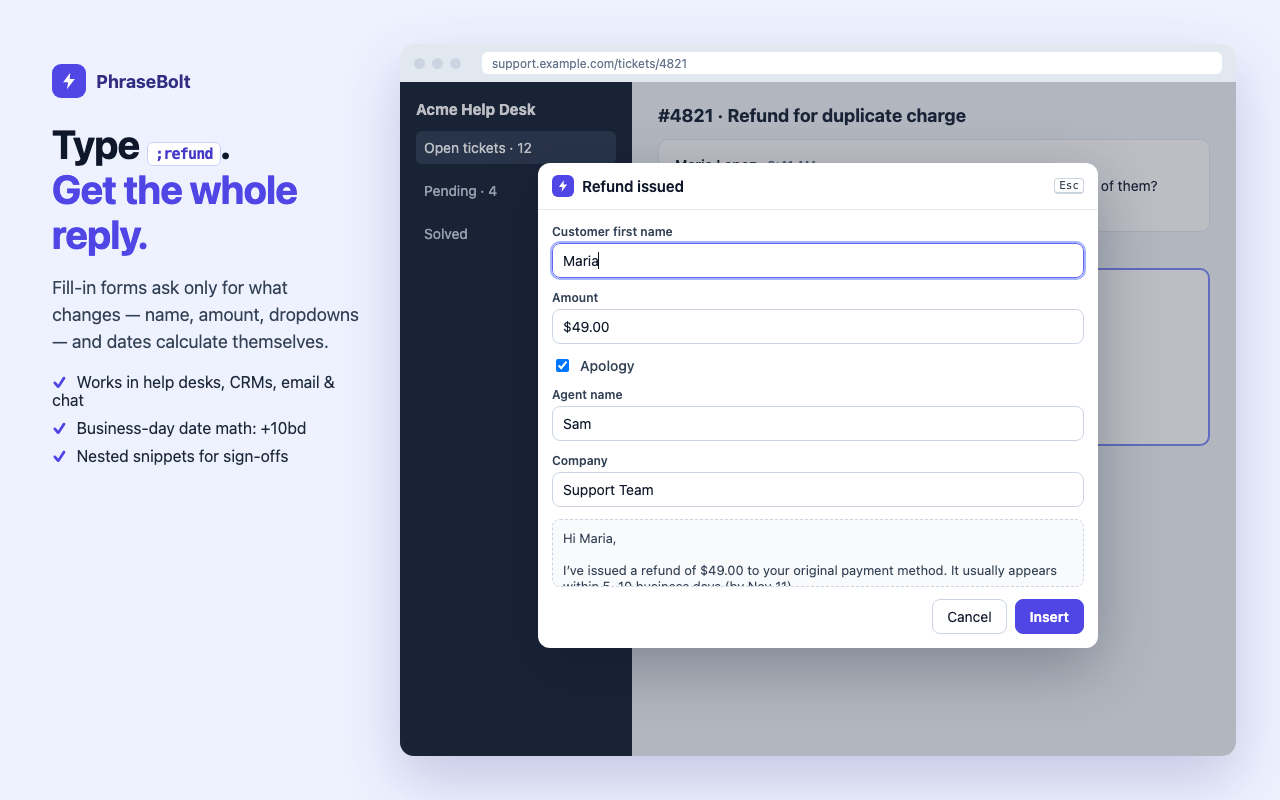
PhraseBolt search palette listing snippets that match the word follow

How PhraseBolt compares

PhraseBoltTypical cloud text expanders
Account requiredNoYes (Google or email sign-in)
Where snippets are storedYour browser (+ optional Chrome sync)The vendor’s cloud
Import from other toolsMagical, Text Blaze, TextExpander, Briskine, any CSVUsually their own format only
Team sharingLink or file, free of serversPaid team plans
Lifetime licenseYes, $49Rare

Moving over? Read Magical alternative, Text Blaze alternative without an account or how to migrate from TextExpander.

Simple pricing

Free

$0

25 snippets · {date} {time} {clipboard} {cursor} · search palette · time-saved stats · export

Pro yearly

$29/year

Unlimited snippets · fill-in forms · nested snippets · import/migration · starter & team packs · Chrome sync. Or $3.99/month.

Pro lifetime

$49

Everything in Pro, pay once. No server means no running costs to pass on to you.

Try every Pro feature free for 7 days — no card, no account. Payments and license keys are handled by Lemon Squeezy. When a trial ends nothing is deleted: your first 25 snippets keep working.

Privacy you can check

A text expander has to see what you type to know when you typed a shortcut. PhraseBolt looks only at the few characters right before the caret — at most the length of your longest shortcut — compares them with your shortcuts on your computer, and forgets them. Nothing you type is recorded or sent anywhere. It never runs in password or card fields, and you can switch it off for any site. Read the privacy policy.

FAQ

Does it work in Google Docs?
Google Docs draws text on a canvas, so no extension can replace typed text there reliably. Open the PhraseBolt palette (Ctrl+Shift+Space) and it copies the snippet for you to paste with Ctrl+V. More about Docs.
What happens if I uninstall?
Your snippets are deleted with the extension, so export a JSON backup first (free). If you used Chrome sync they also stay in your Chrome profile.
Can my team use it?
Yes. Each person installs PhraseBolt; you share folders as a pack link or file. There is no admin console — that is the point.
Which languages work?
Any. Snippets can contain any text, and date names can be English, Vietnamese, Spanish, French, German or Portuguese.

Add PhraseBolt to ChromeNo account · 25 snippets free · 7-day Pro trial, no card

Guides: Gmail text shortcuts · Zendesk canned responses · LinkedIn message templates · customer support templates · mẫu trả lời khách hàng (tiếng Việt)